
There is nothing more frustrating than checking on a 12-hour print job only to find a bird’s nest of spaghetti, a clogged nozzle, or a model that peeled right off the build plate. When your machine stops cooperating, it’s easy to feel stuck.
At UNBRAND3D, we handle professional 3D printer repair right here in the Sand Hills area of Columbia. But our ultimate goal isn’t just to fix your machine—we want to help you master it. Most of the common issues that land printers on our repair benches can be prevented with a few simple calibration habits and environment tweaks.
5 Tips to Stop Failed Prints
Whether you’re running a hobbyist setup or a rapid production fleet, here are 5 expert tips to optimize your prints, prevent hardware failures, and keep your machine running smoothly:
1. Filament Jam in Extruder: Prop Open the Lid to Beat “Heat Creep”
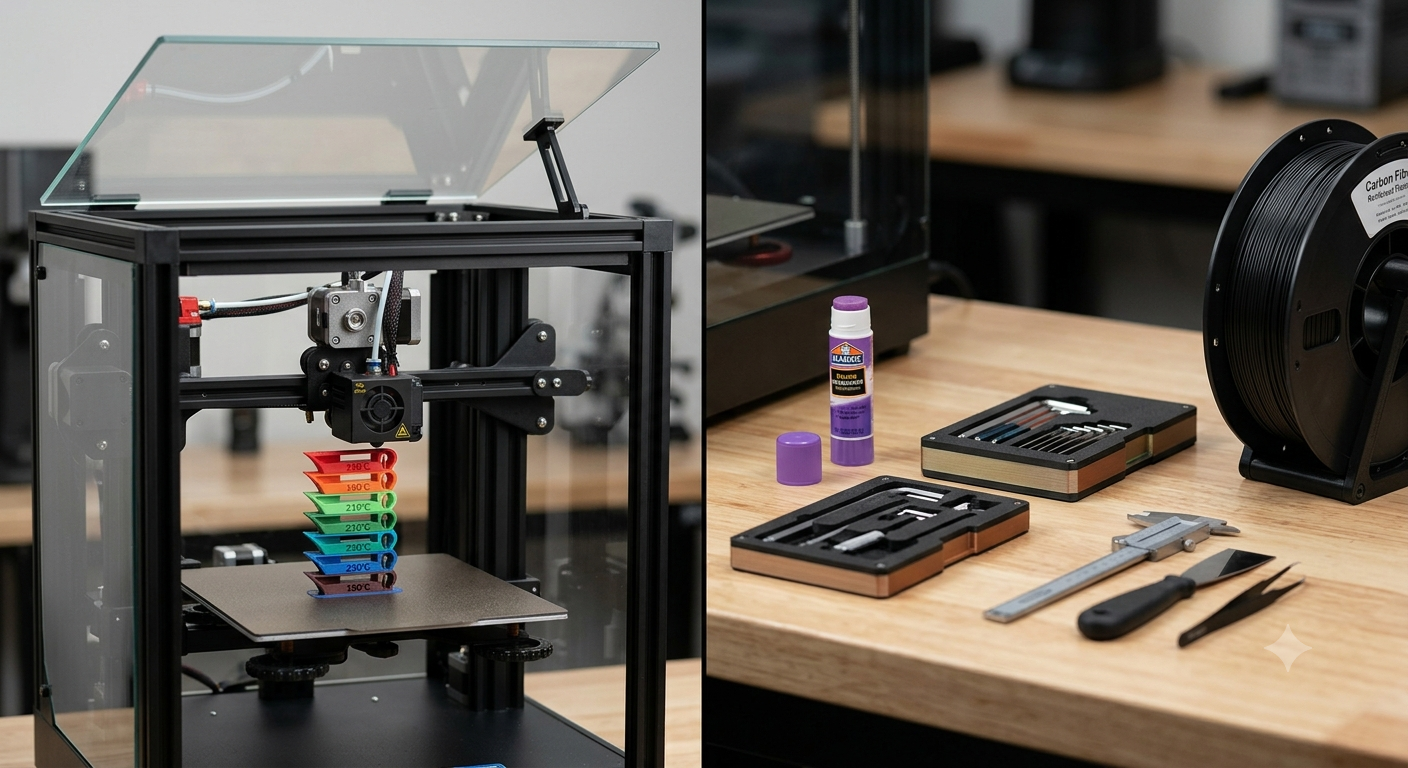
If you are printing low-temperature filaments like PLA or PETG inside a fully enclosed printer, you are at risk for heat creep. When the ambient internal chamber temperature gets too high, filament softens before it reaches the heater block, leading to a nasty jam inside the extruder gears. When printing these materials, prop open the printer door or remove the top lid to ensure proper cooling.
2. Stringing or Blobby texture: Find the Sweet Spot with a Temperature Tower
Don’t rely blindly on the generic manufacturer temperature ranges printed on your spool. Thermistors vary by machine, and every brand’s chemical formulation behaves differently. Before starting a major project with a new filament, print a Temperature Tower (Heat Tower). This calibration test visually identifies exactly which temperature yields the cleanest overhangs and strongest layer bonds.
3. Nothing Sticking to Your Bed (or sticking too well): The Humble Glue Stick – Your Bed Adhesion Insurance
First-layer failure is a primary cause of major hardware damage. If your print shifts midway through, it can wrap around your hotend and create a catastrophic plastic blob. Applying a thin layer of a basic, water-soluble purple glue stick guarantees a flat first layer and serves as a crucial release agent for materials like PETG, which can otherwise fuse to and damage PEI or glass plates.
Pro Tip: Defeat South Carolina Humidity
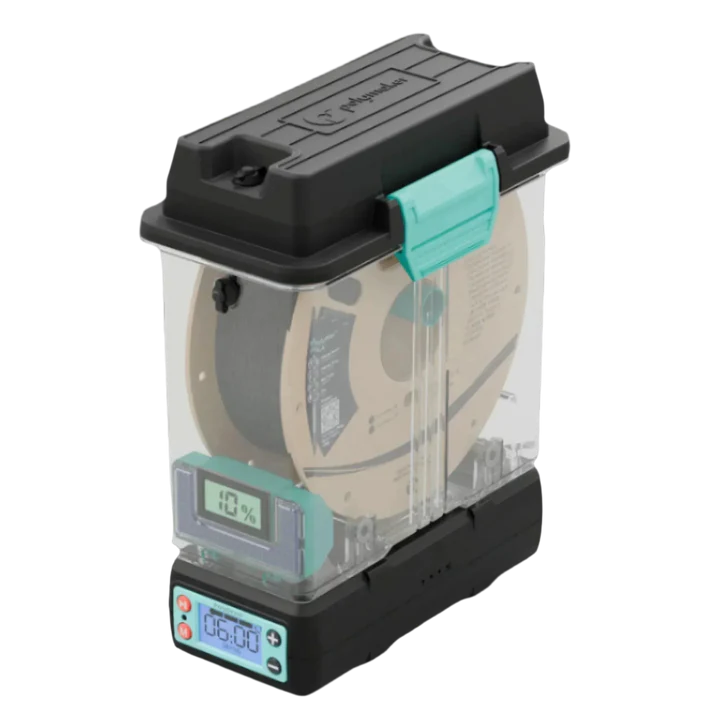
3D printing filaments are highly hygroscopic, meaning they actively absorb moisture from the air. In our humid climate, open spools spoil fast, leading to poor bed adhesion, popping sounds at the nozzle, brittle parts, and severe stringing. Keep your open spools stored in airtight bins with silica gel packs or run them through a dedicated filament dryer before important runs.
5. Level, Clean, and Clean Again
Even advanced auto-bed leveling systems cannot compensate for a dirty build surface. The natural oils from your fingerprints are the ultimate enemy of plastic adhesion. Routinely wash your removable build plates with warm water and basic dish soap to strip away grease, and give it a quick wipe-down with 90%+ Isopropyl Alcohol (IPA) between individual print jobs.
Why Local Repair Support Matters
Sometimes a problem goes deeper than home calibration—worn-out bearings, bent hotends, warped beds, or fried mainboards happen to the best of machines. When troubleshooting at home stops working, attempting to ship a large, heavy desktop printer back to a national manufacturer for warranty service results in high freight costs and weeks of waiting.
Keep Your Machine Running
If you’ve tried the basics and your printer is still fighting you, don’t sweat it. UNBRAND3D is your local partner in Northeast Columbia for quick, precise hardware diagnostics and repairs.